Datasette 1.0a33 with JSON extras in the API
11th June 2026 at 17:26 UTC by Simon Willison
The stable release of Datasette 1.0 has been in the pipeline for a long time. Today's release of 1.0a33 incorporates significant progress on one of the key blockers for that release: providing a stable, fully documented JSON API for accessing data hosted in Datasette.
The key problem with the 0.x API is its verbosity: Datasette usually returns more JSON than the client needs, often wasting SQL queries to generate data that is not used.
The ?_extra= mechanism, first introduced for tables in Datasette 1.0a3, is designed to address that. 1.0a33 extends that pattern to rows and queries. Quoting the 1.0a33 release notes:
?_extra=support for row and query pagesRow and query JSON pages now support the same
?_extra=mechanism as table pages. Row pages can request extras such asforeign_key_tables,query,metadataanddatabase_color; arbitrary SQL and stored query pages can request extras such ascolumns,query,metadataandprivate. The implementation was refactored into a registry of extra classes shared by all three page types.New generated reference documentation describes every
?_extra=parameter available on table, row and query JSON pages, with example output captured from a live Datasette instance at documentation build time. See Expanding JSON responses for the full list.
The minimal default response for a table page such as /fixtures/facetable.json in Datasette 1.0 starts like this:
{
  "ok": true,
  "next": null,
  "rows": [
    {
      "pk": 1,
      "created": "2019-01-14 08:00:00",
      "planet_int": 1,
      "on_earth": 1,
      "state": "CA",
      "_city_id": 1,
      "_neighborhood": "Mission",
      "tags": "[\"tag1\", \"tag2\"]",
      "complex_array": "[{\"foo\": \"bar\"}]",
      "distinct_some_null": "one",
      "n": "n1"
    }
We can add ?_extra= parameters to request extras. Here's an example that requests several:
Which returns this JSON, with each requested extra corresponding to a key in the resulting object:
{
  "ok": true,
  "next": "1",
  "count": 15,
  "count_sql": "select count(*) from facetable ",
  "expandable_columns": [
    [
      {
        "column": "_city_id",
        "other_table": "facet_cities",
        "other_column": "id"
      },
      "name"
    ]
  ],
  "facet_results": {
    "results": {
      "state": {
        "name": "state",
        "type": "column",
        "hideable": true,
        "toggle_url": "/fixtures/facetable.json?_size=1&_extra=count&_extra=count_sql&_extra=expandable_columns&_extra=facet_results",
        "results": [
          {
            "value": "CA",
            "label": "CA",
            "count": 10,
            "toggle_url": "https://latest.datasette.io/fixtures/facetable.json?_size=1&_facet=state&_extra=count&_extra=count_sql&_extra=expandable_columns&_extra=facet_results&state=CA",
            "selected": false
          },
          {
            "value": "MI",
            "label": "MI",
            "count": 4,
            "toggle_url": "https://latest.datasette.io/fixtures/facetable.json?_size=1&_facet=state&_extra=count&_extra=count_sql&_extra=expandable_columns&_extra=facet_results&state=MI",
            "selected": false
          },
          {
            "value": "MC",
            "label": "MC",
            "count": 1,
            "toggle_url": "https://latest.datasette.io/fixtures/facetable.json?_size=1&_facet=state&_extra=count&_extra=count_sql&_extra=expandable_columns&_extra=facet_results&state=MC",
            "selected": false
          }
        ],
        "truncated": false
      }
    },
    "timed_out": [
    ]
  },
  "rows": [
    {
      "pk": 1,
      "created": "2019-01-14 08:00:00",
      "planet_int": 1,
      "on_earth": 1,
      "state": "CA",
      "_city_id": 1,
      "_neighborhood": "Mission",
      "tags": "[\"tag1\", \"tag2\"]",
      "complex_array": "[{\"foo\": \"bar\"}]",
      "distinct_some_null": "one",
      "n": "n1"
    }
  ],
  "truncated": false
}
You can explore the full set of available extras in the Datasette extras API explorer tool:
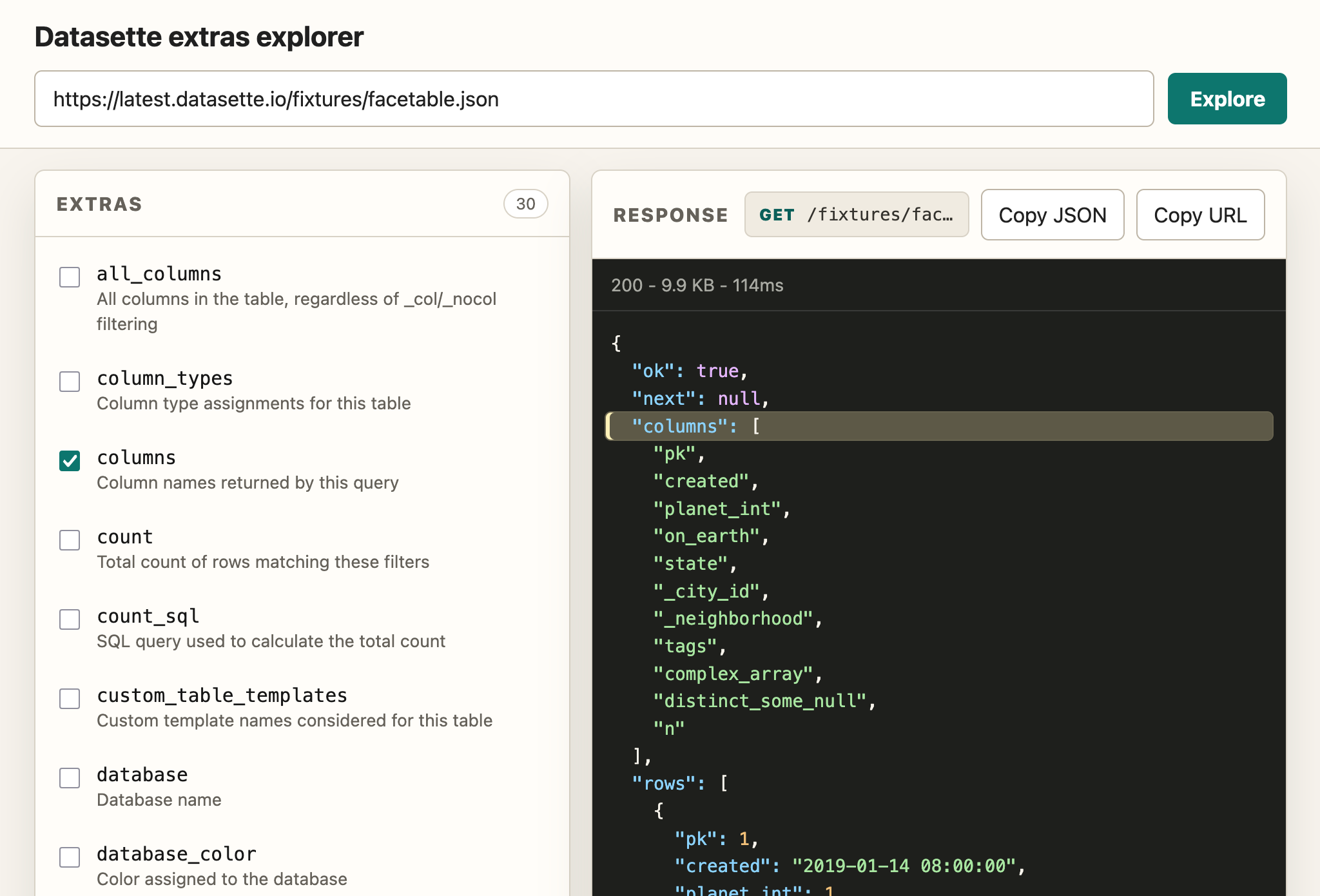
Here's that same API explorer for the query results page, and the individual row page.