The extensible "Jump to" menu in Datasette 1.0a30
24th May 2026 at 23:45 UTC by Simon Willison
Datasette 1.0a30, released today, provides a new "Jump menu" for quickly navigating your Datasette instance, plus mechanisms for plugins to extend and customize that menu to incorporate their own custom features.
To activate the new menu, either select "Jump to..." from the main application menu, or hit the / key while focused on Datasette. This will bring up a modal panel where you can type to search - it looks like this:
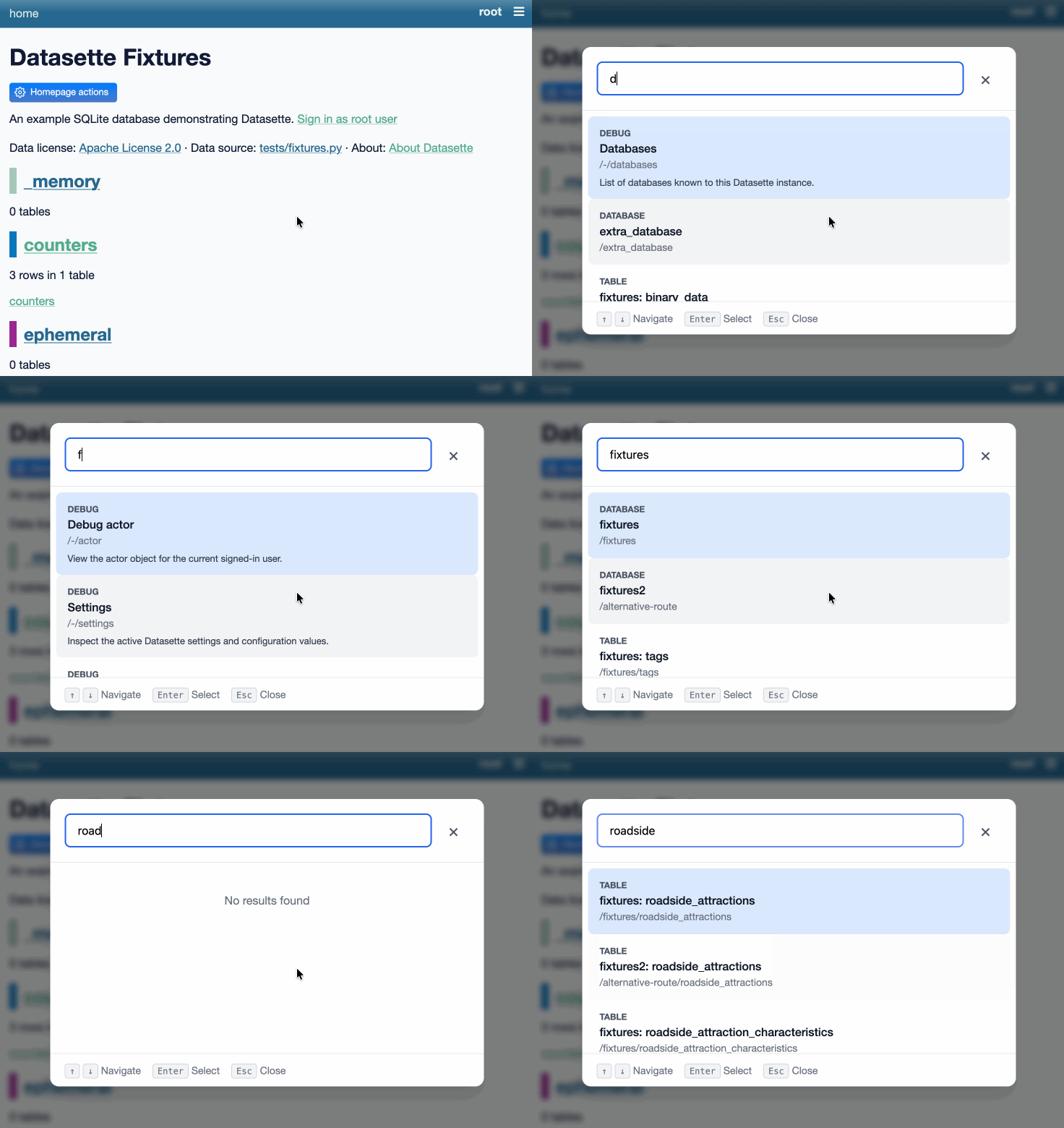
You can try out that demo on latest.datasette.io.
Out of the box the search will cover all databases, tables, views, and canned queries that are available to your user. If you sign in as root or a user with the debug_menu permission you'll be able to access various debug features as well.
The menu keeps track of the most recently selected items in your browser's localStorage, letting you quickly navigate to items that you use frequently.
A version of the menu has been available since 1.0a20, but that version only covered tables and was available via just that hidden keyboard shortcut.
The new menu is more discoverable, covers additional content types and can be extended by plugins.
Adding items with plugins
Datasette plugins can add their own managed content to the set of things that are searched by the Jump menu, using the new jump_items_sql() plugin hook.
The Jump menu works by running queries against the /-/jump?q=... JSON API. That API endpoint runs SQL queries to find matching items, initially against the catalog tables in Datasette's own internal SQLite database.
The new plugin hook allows plugins to add their own additional SQL queries, which will then be included in a big UNION query and filtered using the user's search term.
Here's an example of what a plugin might look like - in this case an imaginary dashboards plugin that adds the ability for users to search and then navigate to dashboards that have been created using that plugin and belong to the current actor:
from datasette import hookimpl
from datasette.jump import JumpSQL


@hookimpl
def jump_items_sql(datasette, actor, request):
    if not actor:
        return None
    return JumpSQL(
        sql="""
        SELECT
            'dashboard' AS type,
            slug AS label,
            description,
            json_object(
                'method', 'path',
                'path', '/-/dashboards/' || slug
            ) AS url,
            slug || ' ' || COALESCE(title, '') || ' ' || COALESCE(description, '') AS search_text,
            title AS display_name
        FROM dashboards
        WHERE owner_id = :actor_id
        """,
        params={"actor_id": actor["id"]},
        database="content",
    )
The SQL query defined by plugins should always return the same set of columns: type, label, description, url, search_text, and display_name. The plugin documentation describes these in detail, including the option to return JSON for the url in order to hook into Datasette's URL generation routines.
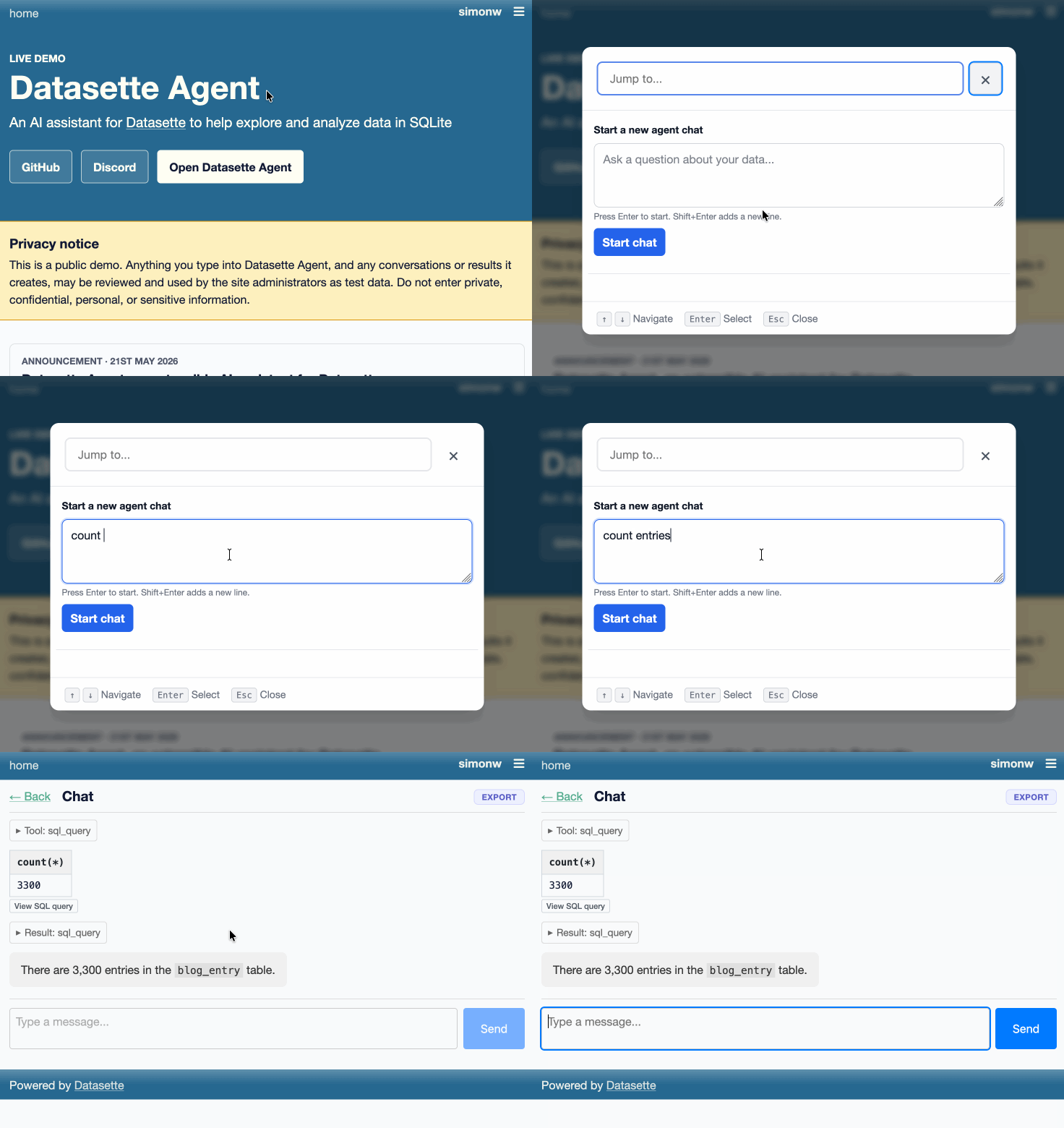
Plugins can also influence the initial display of the menu when it first opens, thanks to the new makeJumpSections() JavaScript plugin hook. The datasette-agent plugin now uses that hook to add a form for kicking off a new agent session, which looks like this: