SQL write queries and stored queries in Datasette 1.0a31
29th May 2026 at 05:14 UTC by Simon Willison
With Datasette 1.0a31, Datasette now offers users with the necessary permissions the ability to both execute write queries against their database and save stored queries (renamed from "canned queries"), either privately and shared with other members of their Datasette instance.
Here's an animated demo of the new SQL write interface:
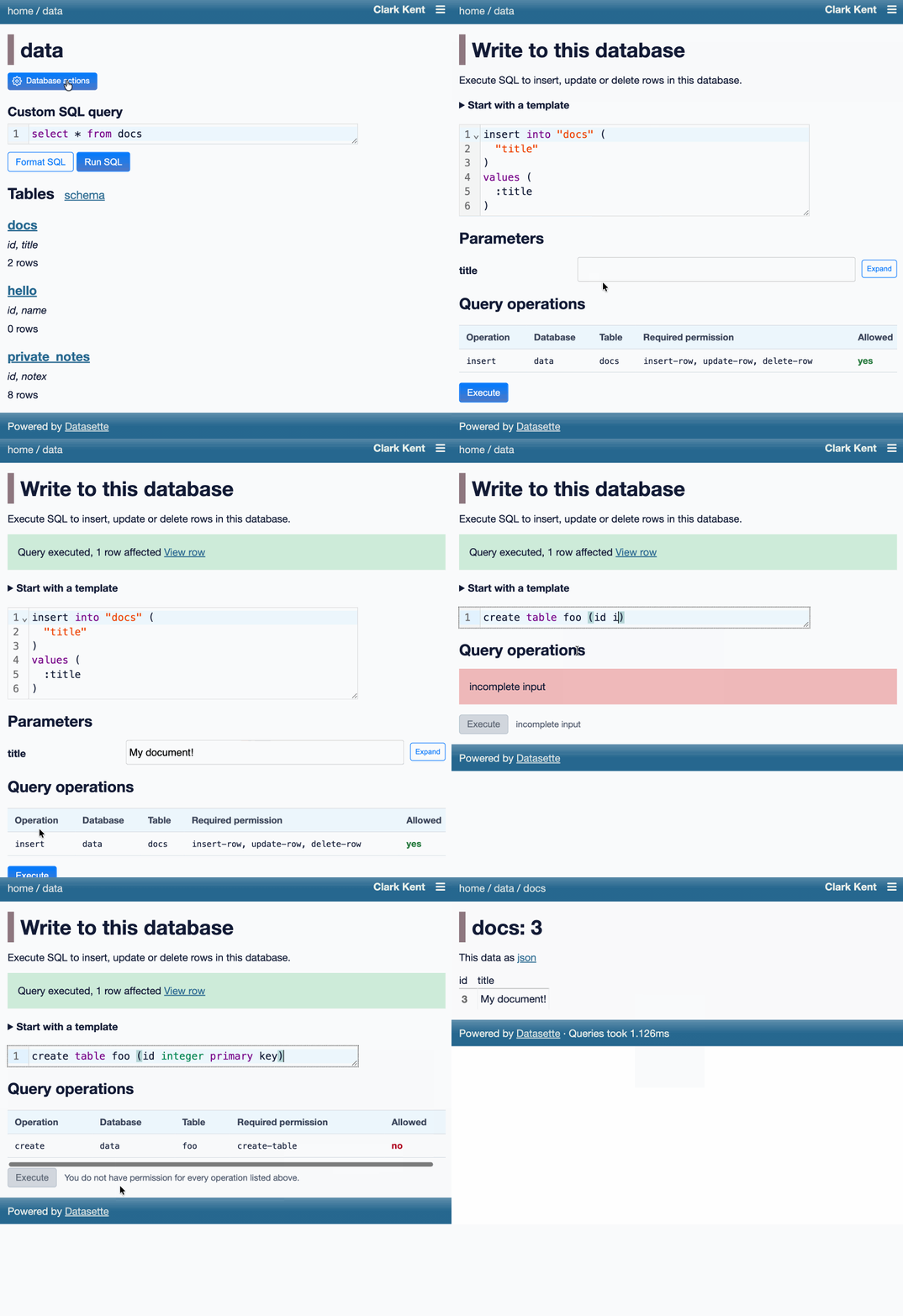
Users with the new execute-write-sql permission gain an "Execute write SQL" database action. This takes them to a page where they can either enter a SQL query to execute or pick from a set of templates, which provide insert, update and delete queries for tables that they have permission to modify - based on their insert-row, update-row and delete-row permissions.
Datasette analyzes the SQL query and checks which tables it will modify and which relevant Datasette permissions the user needs to have. This works for create-table and alter-table as well - the full list of permissions can be found in the documentation.
In addition to executing queries directly, Datasette users with the new store-query permission can now store both read- and write-queries in the new queries table in Datasette's internal SQLite database. You'll need to run Datasette with the --internal path/to/internal.db option in order for stored queries to persist across server restarts.
Stored queries can be marked private, in which case they'll only be visible to the user who created them, or they can be shared with other users of the same Datasette instance via Datasette's existing view-query permission mechanism.
Learn more:
- The Datasette 1.0a31 release notes
- Documentation for the read query, write query and stored query pages
- Details of the new Executing write SQL JSON API